

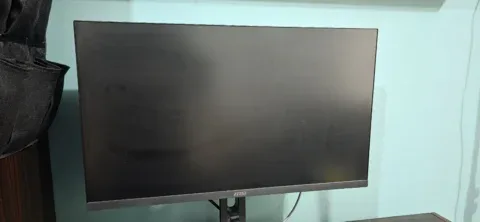
 Like New
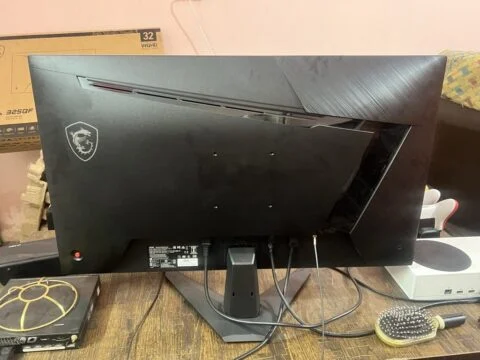
MSI G274QPF - 27 Inch - IPS Display - Gaming Monitor for Sale in Lahore
PKR 69,000
Lahore
10 Nov 2026
Monitor prices · Pakistan
Compare monitor prices in Pakistan for work and gaming. First, choose a monitor for office work, design or gaming. Then compare screen size, resolution, panel type, refresh rate and the ports on your laptop or PC, then inspect the individual display before paying.
Prices in PKR Compare specifications Contact local sellers
Find your fit
Choose what you need.
Buy with a clear picture
First, check resolution, refresh rate and available inputs. For this reason, your computer, cable and monitor must support the display mode you want to use.
Next, test solid colours for dead pixels, lines and bright spots. Also check brightness, viewing angles, buttons, stand adjustment and the power adapter.
Finally, compare similar sizes and resolutions in PKR. Also confirm the included stand and cables, and request the seller's checking or return terms.
Closer to you
Browse sellers in Karachi, Lahore, Islamabad and other cities in Pakistan. Compare similar offers and arrange a suitable inspection or collection with the seller.
Helpful next steps
Price guides are references. Match the exact component and confirm compatibility, condition and current availability before buying.
Before you decide
Consider resolution, refresh rate, adaptive-sync support and your graphics card's capabilities. Also check the exact model and required ports rather than relying on the word gaming.
First, connect it to a working computer, test its inputs and intended refresh rate, and display plain colours. Then inspect the panel, stand, controls and power connection.
These depend on the individual seller and ad. Confirm delivery charges, included items, checking time and any written warranty before agreeing to a purchase.
Explore current seller ads
73 matching ads · Asking prices in PKR
Like NewLahore
10 Nov 2026
Lahore
1 Nov 2026
Lahore
1 Nov 2026
 Brand New
Lahore
30 Sep 2026
 Like New
Abbottabad
29 Sep 2026
 Used
Lahore
4 Aug 2026
 Used
Lahore
6 Jun 2026
 Used
Location not listed
14 Apr 2026
Seller advertisements, with asking prices where supplied. Confirm availability, condition, included items and the final price directly with the seller.
Enter your email address or username and we will send you a secure reset link.
Buy Sell Laptops, Mobile, Tablets, PCs, gaming PCs, monitors, printers, network devices, Parts & Accessories in Pakistan.
Explore app features